
Now Reading: How to Increase Mobile Battery Life in 2025
-
01
How to Increase Mobile Battery Life in 2025


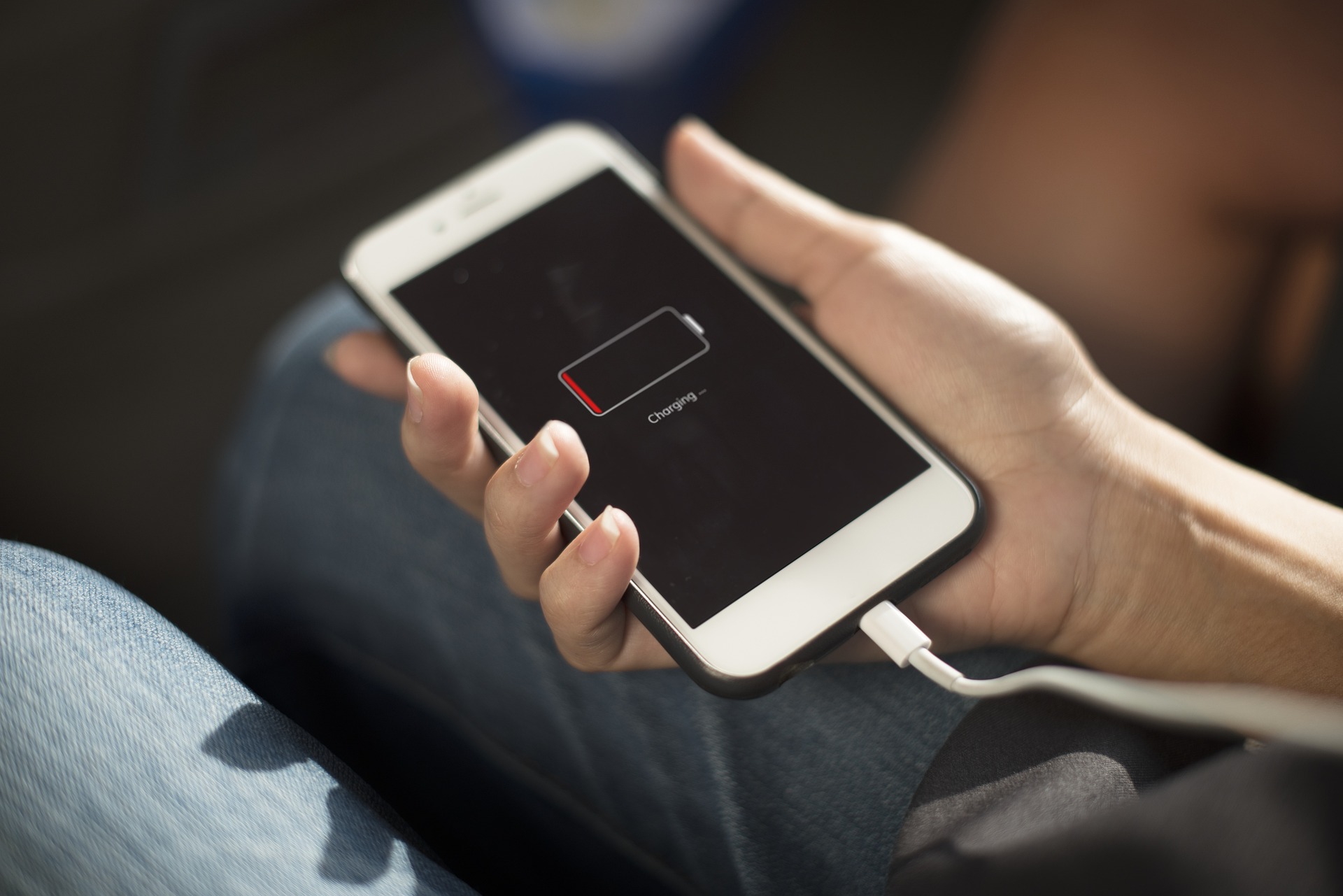
Mobile phones are more powerful than ever, but battery drain remains one of the most common problems for users. High-resolution displays, 5G connectivity, background apps, and frequent usage all consume energy rapidly. Even with larger batteries and fast charging, many people still struggle to make their phones last a full day. The good news is that improving battery life is completely possible through small adjustments and smart usage habits. This detailed guide explains practical, effective, and updated 2025 methods that help extend Increase Mobile Battery Life without using any extra tools or external applications.
1. Understand What Drains Battery the Most
Before fixing battery issues, it’s important to understand what consumes the most power in modern smartphones. In 2025, these five areas drain the battery fastest:
- Screen brightness and refresh rate
- Background apps syncing data
- Location and network scanning (5G, WiFi, Bluetooth)
- Gaming and high-performance apps
- System animations and always-on displays
Once you know the main causes, optimizing the battery becomes much easier.
2. Reduce Screen Brightness and Manage Display Settings
Your phone’s display uses more power than any other hardware component. Reducing brightness and optimizing display settings can significantly extend battery life.
What You Should Do:
- Keep brightness between 30% to 50% for indoor usage
- Use Adaptive Brightness so the phone adjusts automatically
- Disable Auto-brightness boost in sunlight unless needed
- Use Dark Mode, especially on AMOLED screens
- Reduce Screen refresh rate (120Hz → 60Hz) for regular use
High refresh rate drains up to 20–25% extra battery, so switching it off during normal usage is highly effective.
3. Turn Off Background App Refresh
Apps running in the background constantly refresh data, send notifications, and use internet resources. Social media apps, email clients, and messaging apps consume the most energy even when you’re not using them.
How to Control Background Apps:
- Go to Settings → Apps → Background Usage
- Disable background data for apps you rarely open
- Restrict auto-sync for heavy apps like:
- Facebook
- Instagram
- Snapchat
- TikTok
- Gmail (if not used regularly)
- Facebook
This simple step alone can save hours of battery life per day.
4. Disable Unnecessary Network Features
Modern phones constantly search for signals, which drains battery. If you’re not using specific features, turning them off prevents unnecessary power loss.
Turn Off When Not Needed:
- WiFi
- Mobile Data
- Bluetooth
- Hotspot
- GPS (Location)
- NFC
- 5G networks
5G is fast but consumes more battery than 4G. If 5G is weak in your area, switch to 4G for better battery backup.
5. Enable Power Saving Mode
All modern Android phones include built-in battery-saving modes that limit background processes, reduce performance slightly, and restrict power-heavy applications.
Benefits of Power Saving Mode:
- Slows down processor to reduce power consumption
- Limits background activities
- Extends battery life during travel or low battery
- Reduces animation and visual effects
- Controls apps waking up in the background
Turn it on through Settings → Battery → Power Saving Mode whenever you need extra backup.
6. Uninstall Unused Apps and Remove Bloatware
Most smartphones come with pre-installed apps that users never open. These apps continue using resources in the background.
Remove:
- Old games
- Duplicated utility apps
- Pre-installed apps you don’t use
- Heavy social apps (use Lite versions instead)
A clean phone runs faster and consumes less battery.
7. Use Lite or Web Versions of Heavy Apps
Apps like Facebook, Messenger, Instagram, and TikTok are major battery drainers. Their Lite or web-based versions use very little power.
Examples:
- Facebook Lite
- Messenger Lite
- Instagram Web
- YouTube Web in browser
- Twitter Web instead of app
Using lighter versions improves both speed and battery life.
8. Turn Off Always-On Display and Animations
Always-On Display (AOD) continuously keeps part of the screen active. It looks attractive but reduces battery significantly.
What to Disable:
- Always-On Display
- Screen animations
- Live wallpapers
- Motion wallpapers
- Excess widgets
Switch to simple wallpapers and fewer widgets for better performance.
9. Optimize Charging Habits to Improve Battery Health
Battery life also depends on long-term battery health. Poor charging habits weaken batteries and reduce daily performance.
Correct Charging Habits:
- Keep battery between 20% and 80%
- Avoid charging overnight
- Do not let battery drop to 0%
- Use original or certified chargers
- Avoid using device while charging
- Prevent overheating during charging
Healthy battery = longer screen time.
10. Reduce Screen Timeout Duration
A longer screen timeout means your phone stays on even when you’re not using it. This drains the battery without any benefit.
Set screen timeout to:
- 15 seconds
or - 30 seconds
This small change provides noticeable improvement.
11. Clear Cache and Temporary Data
Over time, cache files occupy space, slow down performance, and cause apps to use more power.
Steps:
- Go to Settings → Storage → Cached Data → Clear
- Clear app cache individually for heavy apps
- Restart your phone once after clearing
This keeps your system fresh and efficient.
12. Disable Auto-Play in Social Media Apps
Auto-play videos in apps like YouTube, Facebook, Instagram, and TikTok consume a huge battery.
Disable Auto-Play:
- YouTube: Settings → Autoplay → Off
- Facebook: Settings → Media → Never Autoplay
- Instagram: Settings → Data Saver → Enable
- TikTok: Settings → Data Saver → Enable
This stops videos from loading automatically, reducing resource use.
13. Avoid Keeping Too Many Apps Open
Switching between multiple open apps increases RAM usage. More RAM usage means more battery drain.
What to do:
- Close apps from the recent menu
- Restart your phone daily
- Use RAM management settings if your phone supports them
14. Update System and Apps Regularly
Updates include battery optimization fixes, performance improvements, and bug patches. Outdated software drains more battery.
Update:
- System software
- All apps from Play Store
- Security patches
Keeping everything updated ensures better battery performance.
15. Use Airplane Mode in Low-Signal Areas
When the network signal is weak, your phone increases power usage to stay connected. Switching to airplane mode during low-signal situations saves a lot of battery.
Use airplane mode:
- While traveling
- Inside elevators
- In basements
- At remote locations
This prevents unnecessary signal searching.
16. Avoid Overheating
Heat is the biggest enemy of battery life. When your phone gets hot, the battery drains faster and also loses long-term health.
Avoid:
- Using phone in direct sunlight
- Keeping it under pillow
- Heavy gaming for long durations
- Charging while gaming
- Using thick covers that trap heat
Always keep your device cool for better performance.
Frequently Asked Questions (FAQs)
1. Does fast charging damage battery life?
Not directly, but frequent fast charging increases heat, which lowers battery health over time.
2. Why does my phone drain overnight?
Because background apps, WiFi scanning, and notifications remain active.
3. Is it okay to charge your phone multiple times a day?
Yes, as long as you keep the charge between 20–80%.
4. Does dark mode really save battery?
Yes, especially on AMOLED displays, because black pixels use almost no power.
5. Does uninstalling apps improve battery life?
Yes, unused apps continue running background services, which increases battery consumption.
Conclusion
Increasing mobile battery life in 2025 is fully possible with the right habits and settings. Most battery-saving methods do not require any special apps or tools. By reducing screen brightness, limiting background processes, controlling network usage, and maintaining healthy charging practices, you can significantly extend your phone’s daily usage. Following these techniques regularly ensures that your mobile remains fast, cool, and long-lasting throughout the day.